
Download eMarketTrader – foreign exchange, currency trading, FX market, global markets, financial tools, trading app, mobile trading, business finance, currency rates, economic calendar
Overview
eMarketTrader is a specialized mobile application developed by Standard Bank Stanbic Bank, designed to support businesses and corporate entities engaged in global financial markets. The software serves as a digital companion for managing currency needs and accessing critical financial data in real time. As a key player in foreign exchange on the African continent, Standard Bank aims to deliver reliable tools that enhance decision-making for clients operating across international markets.
The app is positioned to help users navigate the complexities and risks inherent in currency trading, offering timely market insights and transactional support. It is particularly tailored for professionals and corporate decision-makers who require immediate access to currency rates, economic indicators, and market updates while on the move. Real-world use cases include monitoring exchange rate fluctuations, preparing for economic events, and coordinating cross-border payments.
While the application is free to download and use, it is not intended for individual retail traders but rather for institutional and business users with established financial operations. The developer did not provide additional details on the app’s underlying architecture or integration capabilities with other financial systems.
Key Features & Capabilities
- Real-time market updates – Provides up-to-the-minute data on currency movements, enabling users to respond swiftly to market shifts.
- Live currency rates – Offers accurate, continuously updated exchange rates for major and emerging market currencies.
- Economic calendar – Displays scheduled economic events, such as central bank announcements and GDP releases, which can impact currency values.
- Personalized watchlists – Allows users to track specific currency pairs and monitor them over time for strategic planning.
- Mobile trading support – Functions as a supplementary tool to the desktop version, facilitating quick checks and preliminary decisions on the go.
These features are designed to streamline financial operations for businesses managing international transactions. For example, a corporate treasurer can use the economic calendar to anticipate market volatility ahead of a central bank meeting, while a procurement manager might rely on live rates to time a foreign supplier payment. The app’s functionality supports both proactive planning and reactive responses, enhancing overall financial agility. Although the app is not a full trading platform, it provides essential intelligence that informs broader financial strategies. The developer did not specify whether data sources are proprietary or third-party, nor were details provided on refresh frequency or data latency.
User Interface, Workflow & Performance
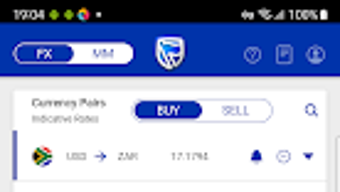
eMarketTrader features a clean, functional interface optimized for mobile use, with intuitive navigation and clearly labeled sections. The layout prioritizes accessibility, allowing users to quickly locate key functions such as currency rates, the economic calendar, and saved watchlists. Menus are structured logically, minimizing the number of taps required to access critical information.
Workflow efficiency is enhanced through customizable dashboards and direct access to frequently used tools. The app maintains a responsive feel during routine operations, with minimal lag when switching between views or refreshing data. However, the developer did not specify resource usage details, including CPU or RAM consumption, nor were performance benchmarks disclosed.
Stability during prolonged use or under high network load remains unverified. General software behavior patterns suggest consistent operation under normal conditions, but real-world performance may vary based on device capabilities and network conditions. No information was provided on background processes, battery impact, or offline functionality.
Compatibility & System Requirements
eMarketTrader is designed for Android devices, with version 3.0.0 released on May 20, 2024. The application has a download size of 45.7 MB, indicating a lightweight footprint suitable for most modern Android smartphones and tablets. The developer did not specify minimum Android OS versions, required hardware specifications, or supported screen resolutions.
Compatibility information was partially provided, leaving gaps in understanding which devices may experience issues. Users should verify device compatibility through the Google Play Store or official channels. No details were given about support for tablets, foldable devices, or older Android versions.
The app’s installation process appears straightforward, but the developer did not outline any prerequisites or post-installation setup steps.
Pros and Cons
Pros
- Free to download and use, reducing entry barriers for corporate clients.
- Provides real-time access to currency rates and market updates.
- Includes an economic calendar to anticipate market-moving events.
- Supports personalized watchlists for targeted monitoring.
- Designed with a user-friendly interface suitable for both new and experienced users.
Cons
- Limited to Android platform; no support for iOS or desktop operating systems.
- Exact system requirements and compatibility details were not disclosed.
- Functionality appears limited to information and monitoring, not full trading execution.
- Performance and resource usage data were not specified.
- Limited visibility into backend data sources and refresh intervals.
FAQ Section
Is eMarketTrader available for iOS devices?
As of the current release, eMarketTrader is only available for Android. There is no official information regarding iOS compatibility.
Is the app secure for business use?
The app is developed by Standard Bank Stanbic Bank, a reputable financial institution. While no specific security protocols were disclosed, it is designed for corporate clients, suggesting adherence to standard banking-grade security practices.
Does eMarketTrader require an internet connection?
Yes, the app requires a stable internet connection to access real-time market data, currency rates, and the economic calendar.
Can I use eMarketTrader offline?
Offline functionality was not specified. All features rely on live data, suggesting that the app may not support full offline operation.
How often are currency rates updated?
The developer did not provide details on the frequency of rate updates. However, the app is described as offering real-time updates, implying continuous data synchronization.
Final Thoughts
eMarketTrader stands out as a practical, free mobile tool tailored for businesses and corporates navigating the global financial markets. Its focus on real-time currency rates, economic insights, and customizable monitoring makes it a valuable asset for financial professionals who need timely information on the go. While the app lacks full trading execution capabilities and is restricted to Android, its clean interface and essential features address core needs in foreign exchange management.
The absence of detailed system requirements and performance data limits comprehensive evaluation, but the app’s lightweight size and corporate backing suggest reliable operation on modern devices. For businesses already engaged with Standard Bank Stanbic Bank, eMarketTrader offers a seamless extension of their financial toolkit. It is particularly beneficial for teams managing cross-border transactions, currency hedging, or strategic planning.
Download eMarketTrader now to stay ahead in the dynamic world of global finance.
Download eMarketTrader now







